Lock a Questionnaire for Launch
Use this process when your questionnaire has been built, tested, and is ready for live participation.
Step-by-step guide
To lock a questionnaire, perform the following steps:
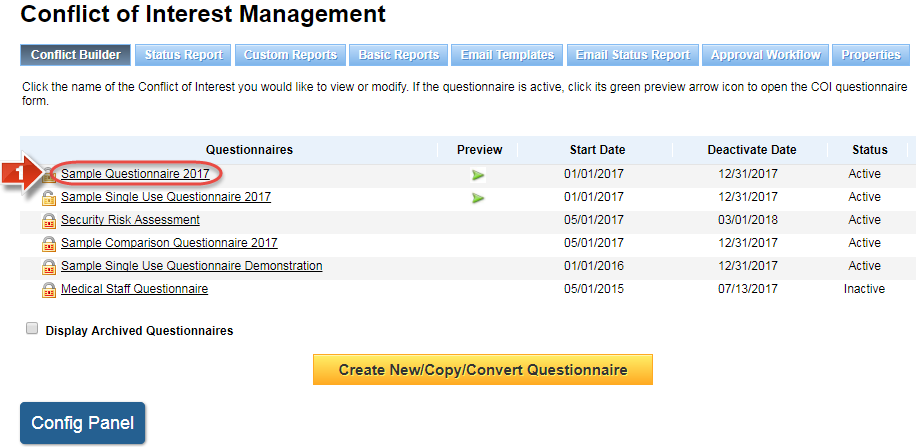
Click the name of the questionnaire on the Conflict Builder page
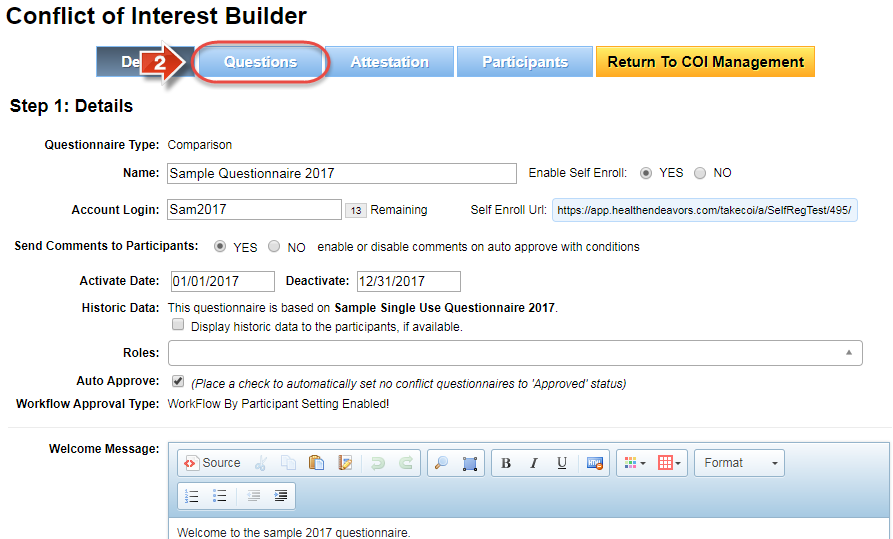
Click the 'Questions' tab
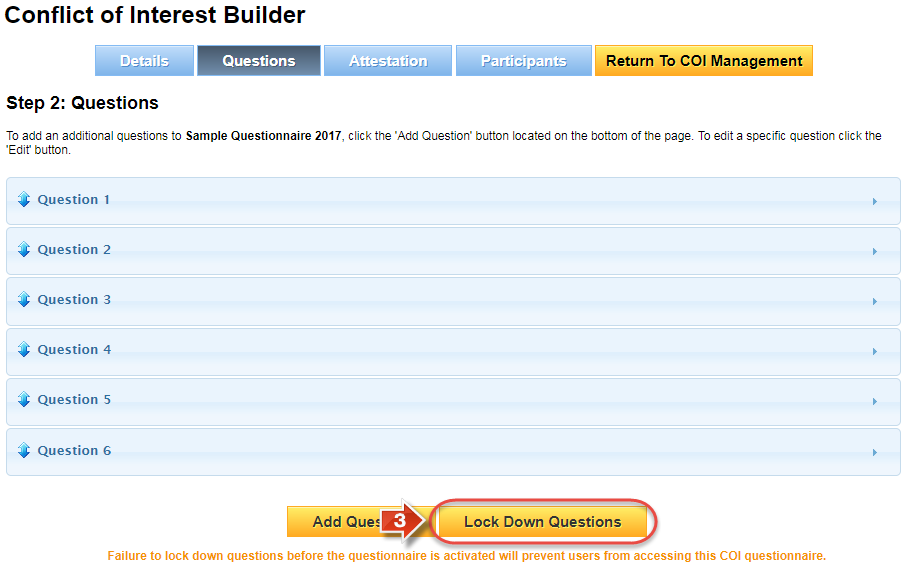
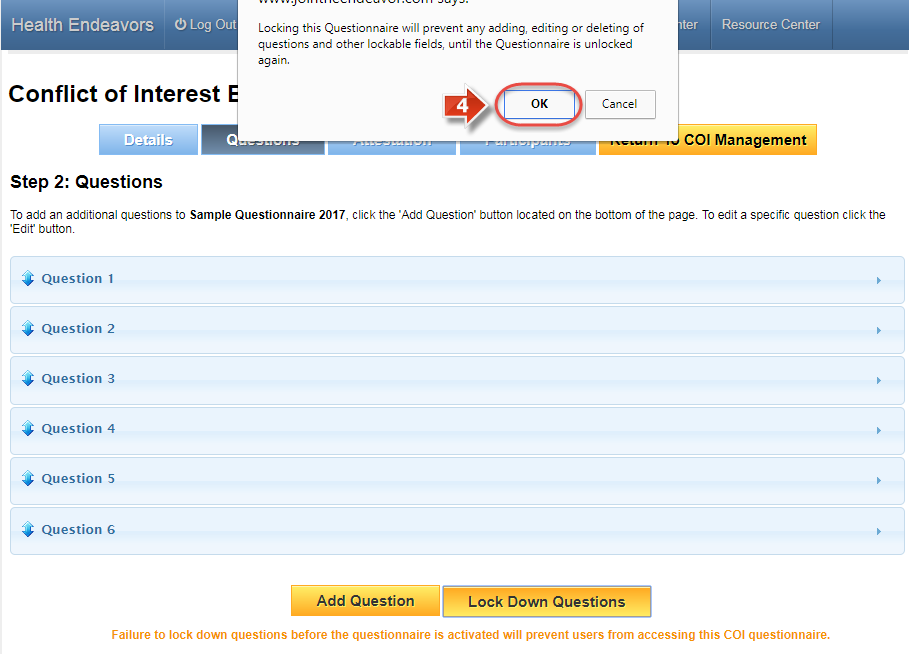
Click the 'Lock Down Questions' button
A confirmation message will appear, click 'OK' to confirm locking the questionnaire (This will lock down all questions, attestations, and much of the Details page)
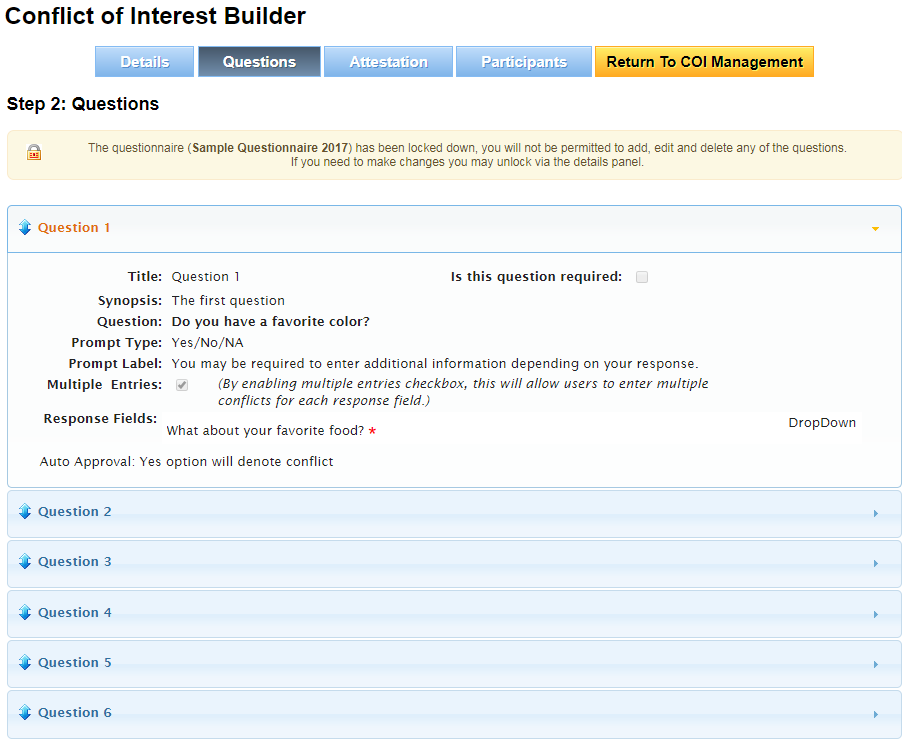
The page will refresh once the lock is complete (At this point, any test participants in the questionnaire are permanently erased)
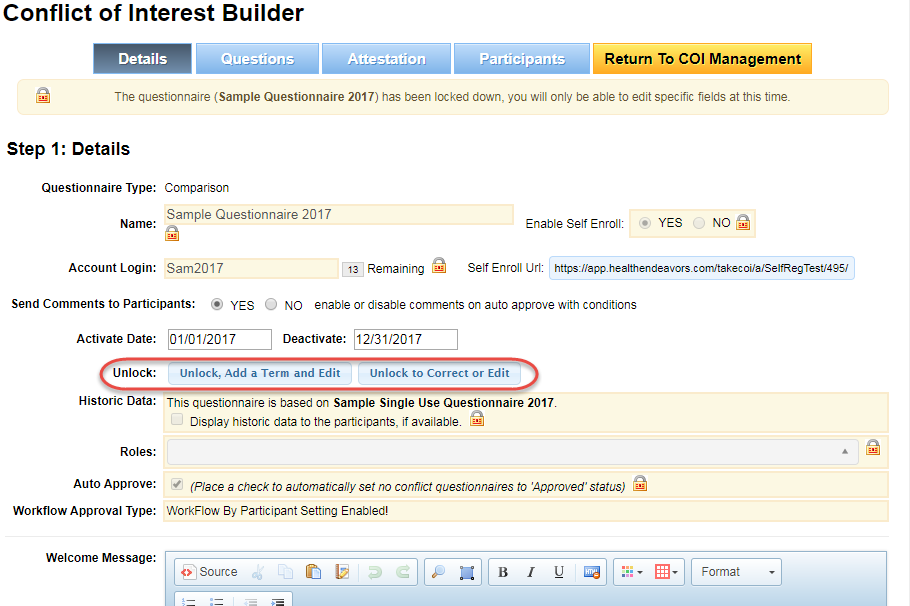
Did you know: You can unlock a questionnaire from the Details page. Participants can only access the questionnaire while it is locked, so bear this in mind before unlocking to make changes.